It takes a game — Cocos (2.x / 3.x) or Unity — and ships it, localized, on Toss (in-app) and PURE (web). The game can be written in any language; it is translated into each target language the project's Sheet carries (KR and EN by default). The SDK the game is ported to is the Hyperlane SDK.
You drive everything from this dashboard. The heavy work (extract, OCR, code edits, the SDK port) runs on the assigned developer's machine; reviews happen here.
The process
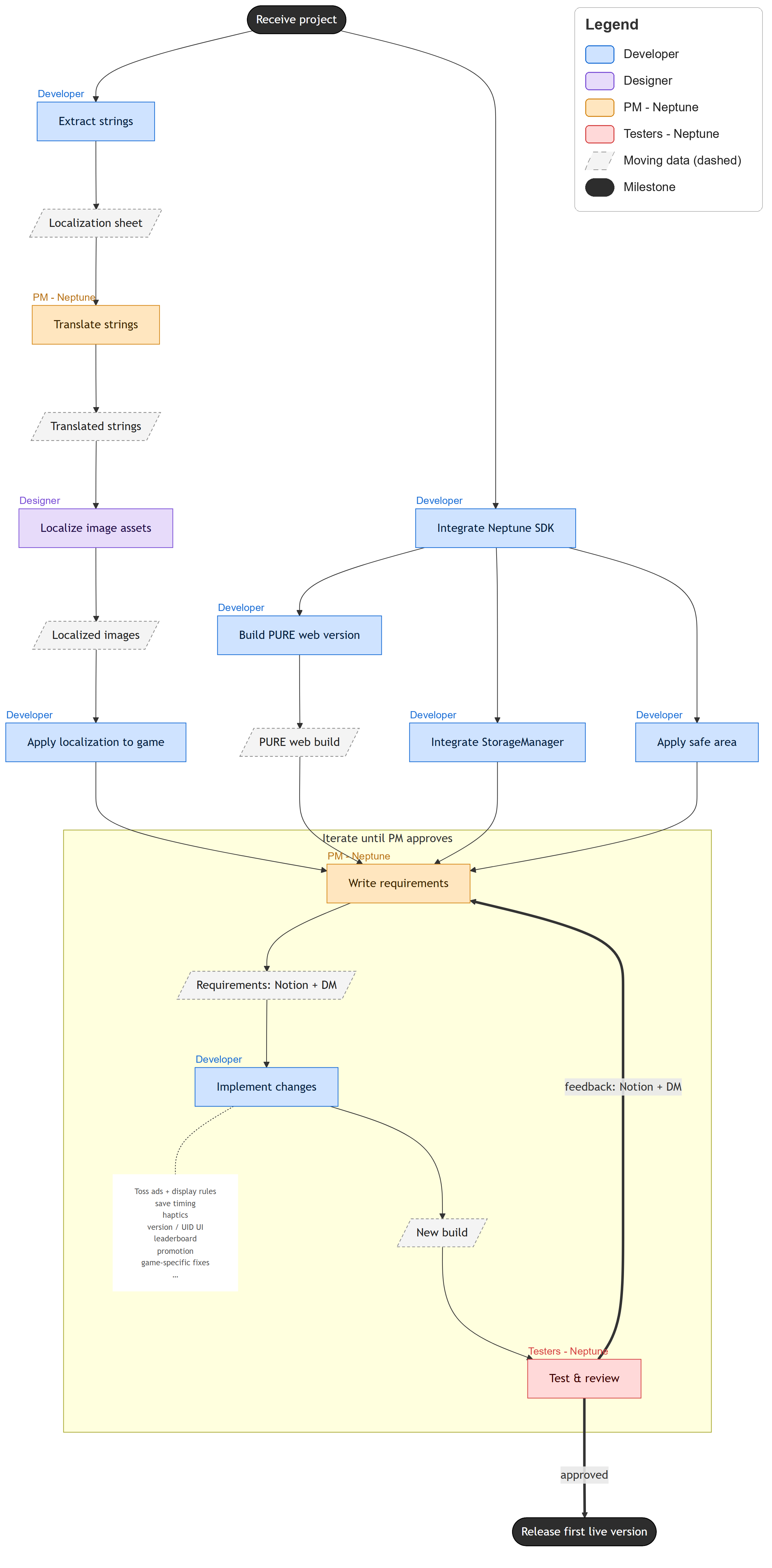
Four roles work on one game: a developer extracts the text and ports the game to the SDK, the PM reviews the translation, a designer redraws the images that have text drawn into them, and the PM signs off the build.
The board
Every project has one board: 5 groups, each opening to its steps. Every step has an owner and a status, and three of them are review gates where the PM approves before the next group opens.
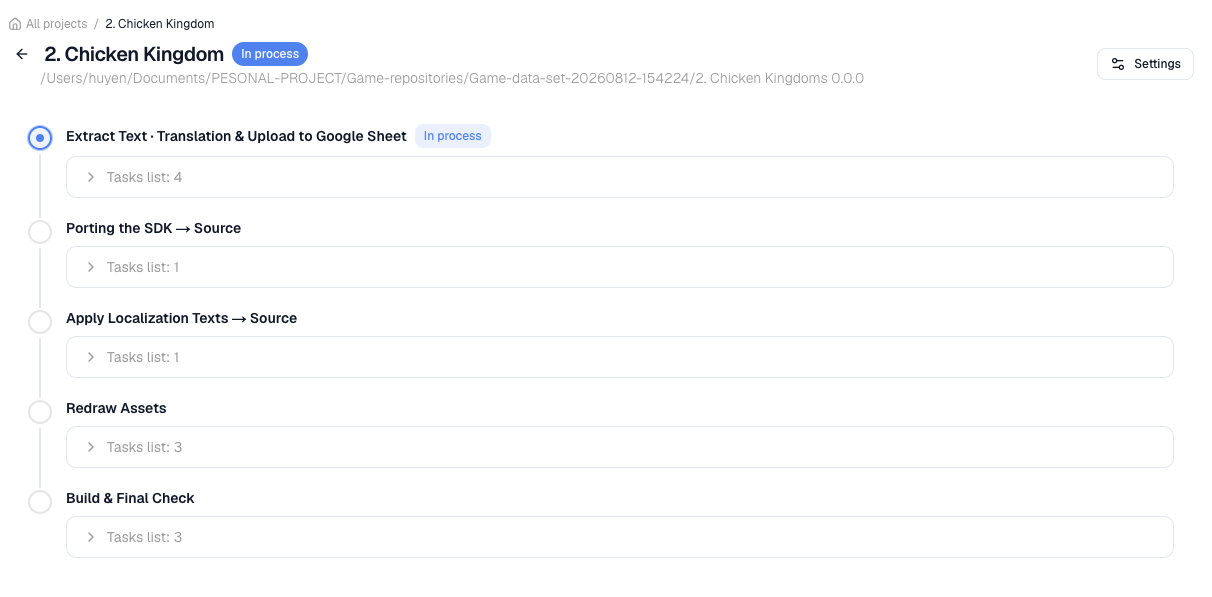
| Group | Steps | Owner |
|---|---|---|
| Extract Text · Translation & Upload to Google Sheet | Extract strings · OCR images · Translate · Review & Approval | Developer, then PM (gate 1) |
| Porting the SDK → Source | Install the Hyperlane SDK · Pre-porting Code Audit · Port jobs | Developer |
| Apply Localization Texts → Source | Apply approved text · Check · Repair | Developer |
| Redraw Assets | Handoff assets → Designer · Redraw assets · Review & Approval | Developer, Designer, then PM (gate 2) |
| Build & Final Check | Apply Localized images → Source · Dev fine-tunes & Build & deploy · Review & Approval | Developer, then PM (gate 3) |
A Unity project shows no Apply Localization Texts group and no Apply Localized images step.
Status, comments and reviews update live for everyone on the project.